All Features
15 free calculators for camera, data and editorial work, plus 5 Professional tools. On iPhone, iPad and Mac.
15 Calculators
Camera · 6
Focus, framing, lenses and exposure on set
Depth of Field
Near and far focus limits, hyperfocal distance, and the stop that holds two subjects in focus.
35mm f/2.8 @ 3m, Super 35 → 2.57m to 3.61m
Field of View
Horizontal, vertical and diagonal angle of view, and frame coverage at any distance.
50mm on full frame → 39.6° horizontal
Focal Length Match
Find the lens that gives the same horizontal view on a different sensor width.
50mm FF → Super 35 → 34.6mm
Exposure
Enter a stop change and see the iris, shutter angle, ISO or ND that compensates for it.
+1 stop at T2.8, 180° → T4, 90°, ISO 400 or ND 0.3
Close Focus
Magnification, effective aperture and light loss for extension tubes; new close-focus distance for diopters.
50mm + 25mm tube @ f/2.8 → 0.5×, f/4.2 effective
Anamorphic
Desqueezed aspect ratio and horizontal-equivalent spherical focal length for any squeeze.
2× on 4:3, 40mm → 2.67:1, 20mm equiv.
Data/DIT · 3
Storage, record time, bitrate, RAID and uploads
Data & Storage
Solve for file size, record time or bitrate, from codec presets or a camera's published data rates.
1hr @ 50Mbps → 22.5 GB
Upload Time
Estimate how long a file takes to upload, with a best-to-worst-case range.
5GB @ 100Mbps → 6m 40s
Storage/RAID
Compare usable capacity and fault tolerance across RAID 0, 1, 5, 6 and 10 for your drives.
8 × 16TB, RAID 6 → 96 TB usable
Editorial · 6
Timecode, retiming, aspect ratios and film footage
Aspect Ratio
Pixel dimensions for any aspect ratio, anamorphic desqueeze, and fit or fill to a delivery size.
1920×1080 → 21:9 → 1920×823
Speed Change
Playback speed and running-time change when footage plays at a different frame rate.
48 fps → 24 fps → 50% speed
Target Length
The exact retime percentage that fits a clip into a target duration.
2:30 → 2:00 → 125% speed
Timecode Calculator
Add, subtract, multiply and divide timecode, and convert between timecode and frames.
01:23:45:12 + 00:15:30:08 → 01:39:15:20
Film ↔ Time
Convert film footage to running time and back, for ten formats from Super 8 to 15-perf IMAX.
400ft Super 16 @ 24fps → 11m 6s
Time Lapse
Set the intervalometer: shot interval, frame count and speed-up for any time-lapse.
2 hours → 10 s @ 24fps → Shoot every 30 s
5 Professional Tools
Part of CineMath Professional, a one-time in-app purchase.
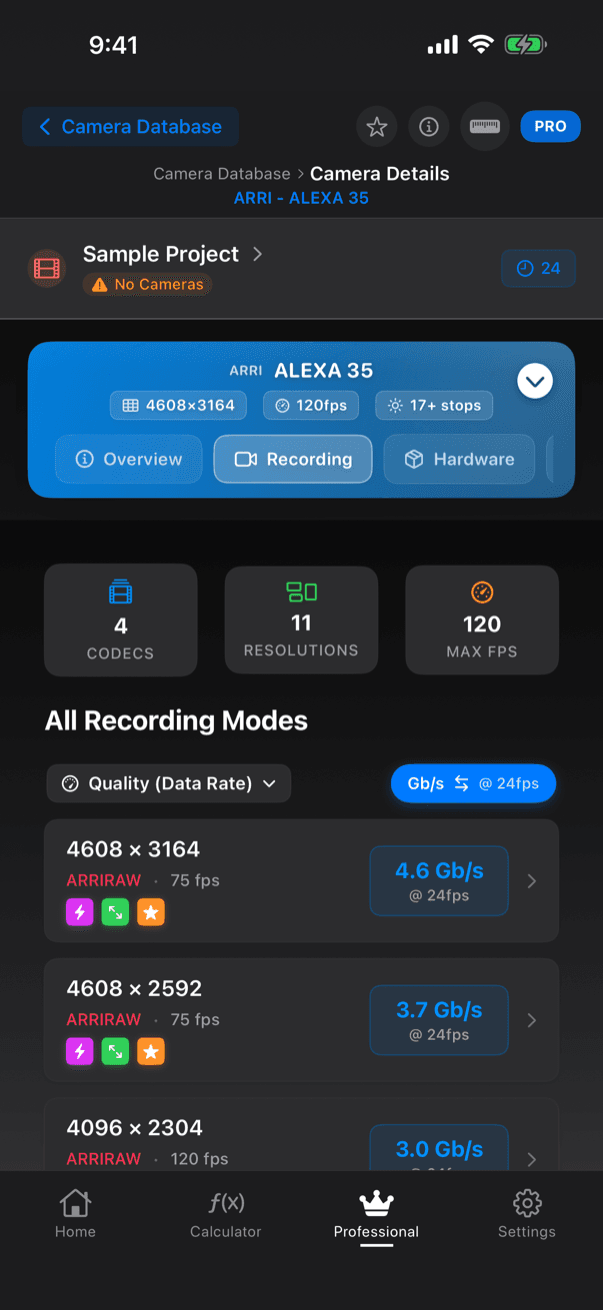
Camera Database
149 cameras from 13 makers, with maker-published recording formats and data rates per frame rate.
- ARRI, Blackmagic, Canon, DJI, Fujifilm, Kinefinity, Leica, Nikon, Panasonic, RED, Sigma, Sony and Z CAM
- Search by camera, maker or specification; filter by maker; favourites
- Overview, recording, hardware and connectivity details
- Send a camera's formats to Data Planning
Multi-Camera Compare
Two or more cameras side by side across 58 fields.
- Sensor, recording, physical, audio, monitoring and I/O, timecode, power and media fields, in 13 groups
- Choose which fields to show
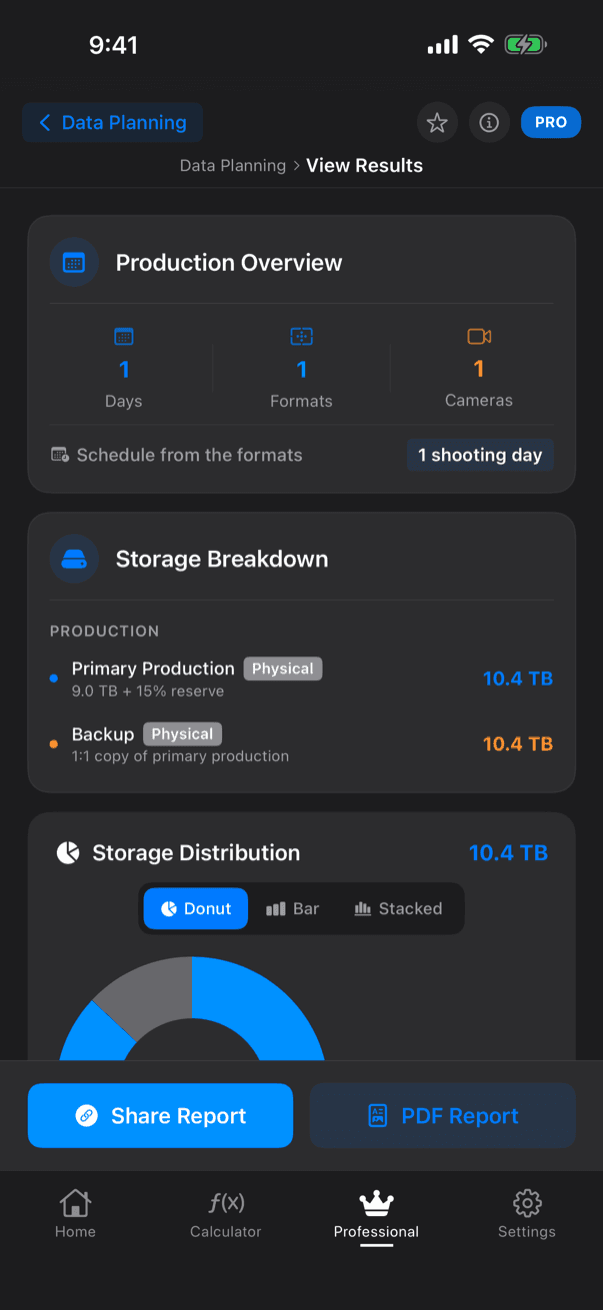
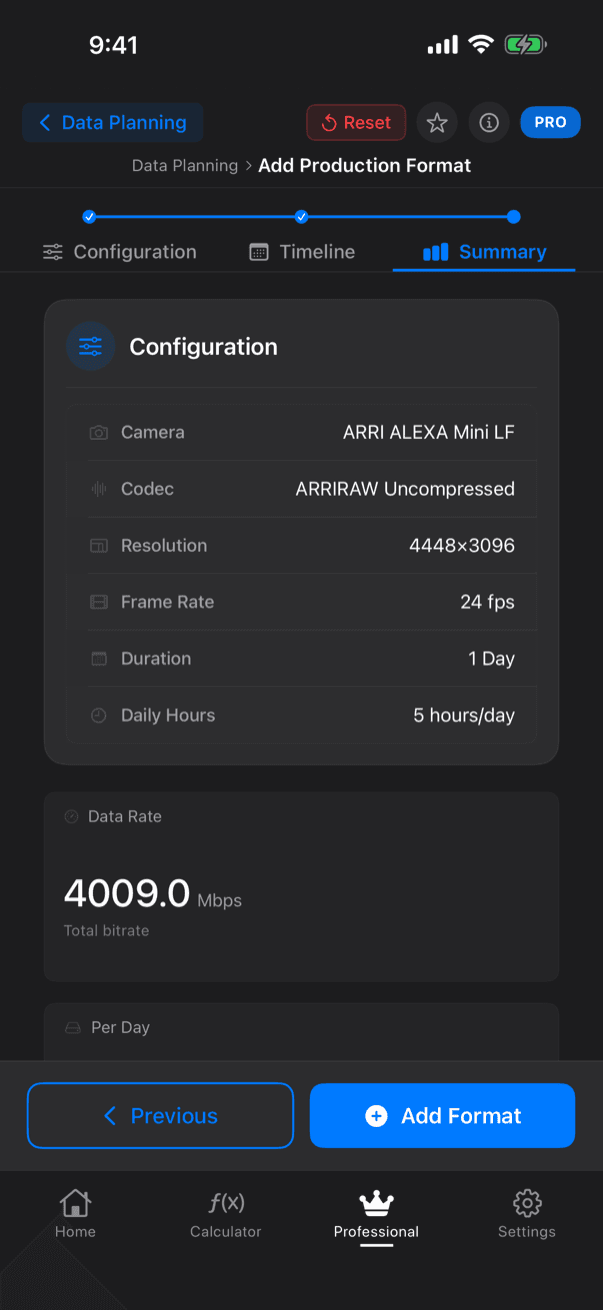
Data Planning
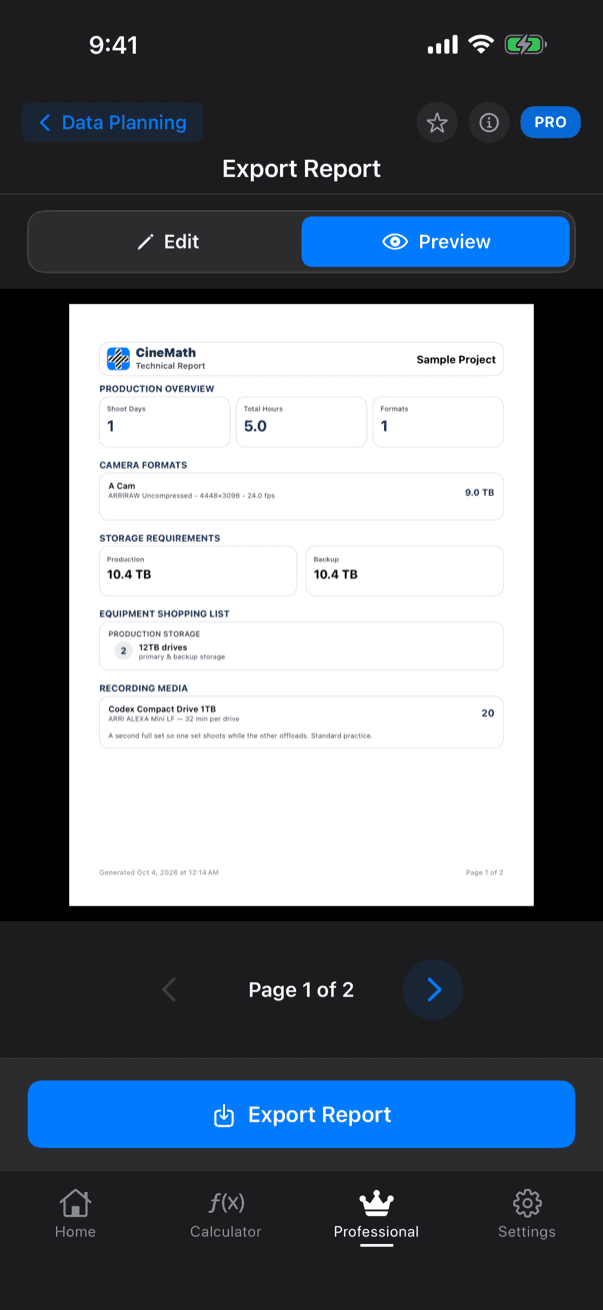
Plan a production's data from camera to archive, and export it as a PDF report (beta).
- Acquisition formats from the Camera Database or custom, over a shoot timeline
- Proxy, editorial and delivery formats, sound and transcode settings
- Storage strategies (3-2-1, runner drive, digital transfer) on drives, SSDs and LTO-7 to LTO-10 tape
- PDF report as a one-page Producer Summary or a Technical Report with an offload plan, with your name, company and logo
- Share the report as a link
Productions
Every project in one place: status, timebase, modules and data plans.
- Project type, status, timebase and tags
- Attach Data Planning to a project
- Duplicate, search and export projects
Timed Notes
Timestamped notes for a shoot or session, in ten categories.
- Categories such as Take, Circled Take, Camera Note, Sound Note, Continuity and VFX
- 12-hour, 24-hour or SMPTE-style time display
- Export as plain text or CSV, or share as a link
Also in Professional
- Calculation history: Save results and restore them later.
- Camera presets in data rates: Pick a camera's published data rate in Data & Storage.
- Upload Time speed test: Measure your upload speed inside Upload Time.
- Shared Links: Share reports, notes and history as links with an optional password, expiry date and view limit, and revoke them at any time.
Professional tools in the app
Simple, Transparent Pricing
Every calculator is free. Professional is an optional upgrade inside the app.
Standard
Free download • No account needed
- Every calculator, with full functionality
- Copy and export results
- Works offline: calculations run on your device
- No ads, no account
Professional
Launch price: goes up when CineMath 1.3 ships
One-time in-app purchase, no subscription
- Everything in Standard
- Calculation history: save, search and restore past results
- Camera Database: 149 cameras with maker-published data rates
- Multi-Camera Compare
- Data Planning with LTO archive plans and a PDF report
- Productions and Timed Notes
- Camera presets in the data rate list
- Upload Time speed test
- Shared Links: share reports, notes and history online