Editorial calculator · free in CineMath
Aspect Ratio Calculator
Pixel dimensions for any aspect ratio, anamorphic desqueeze, and fit or fill to a delivery size.
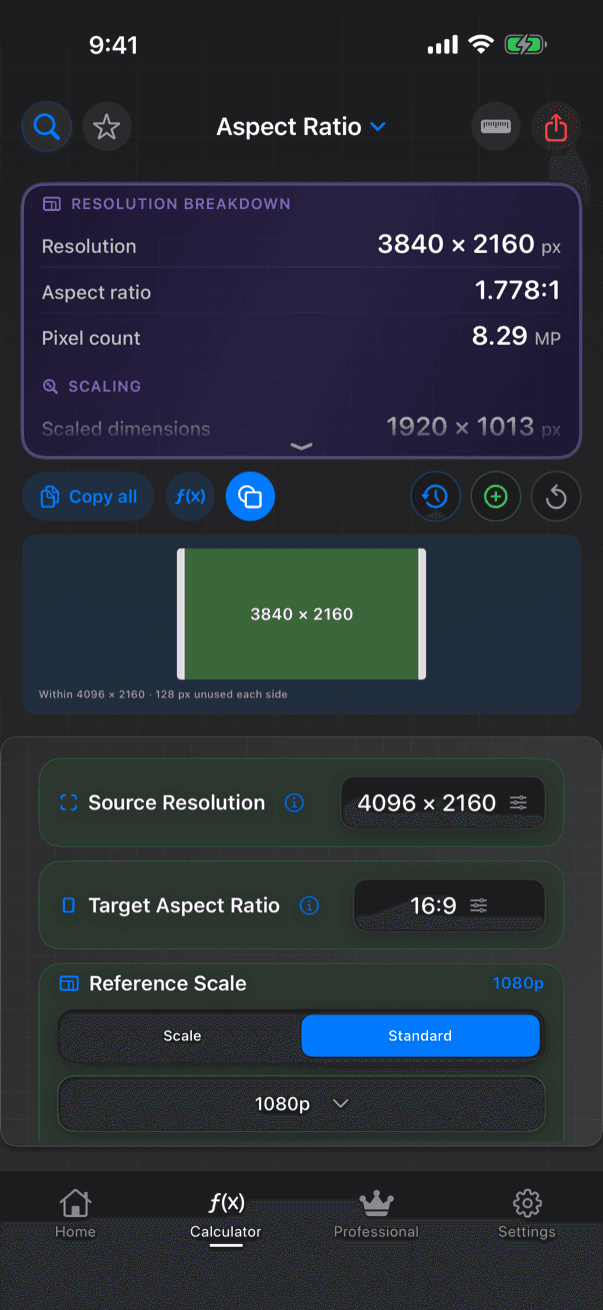
Aspect Ratio finds the largest frame of a given ratio inside your resolution, desqueezes anamorphic footage, and scales to a delivery size with fit, fill or stretch. It includes the old Sizing calculator.
Worked examples
| Source | Target | Frame |
|---|---|---|
| 1920 × 1080 | 2.39:1 | About 1920 × 803, with bars of about 138 px top and bottom |
| 1080 × 1080 | 4:5 | 864 × 1080 |
What you enter
- Source resolution
- Target aspect ratio: 1.33, 1.43 (IMAX), 1.66, 1.85, 2.35, 2.39, 16:9, 9:16, 1:1, 4:5, 3:4, 5:4, or custom
- Anamorphic squeeze, 1.25 to 2.0×
- Scaling: Fit, Fill, Stretch or a custom percentage, to a target size
- Reference sizes at standard containers (720p to 8K) or multiples
What you get
- Resolution, aspect ratio and pixel count
- Scaled dimensions and scale percentage
- Letterbox, pillarbox or crop in pixels
How CineMath works it out
- The largest frame of the target ratio that fits inside the source, limited by width or height
- Smart rounding (the default) snaps to even, encoder-friendly sizes; Exact rounding keeps the computed value
A frame diagram shows the picture area and the unused pixels.
Guides
More Editorial calculators
- Speed ChangePlayback speed and running-time change when footage plays at a different frame rate.
- Target LengthThe exact retime percentage that fits a clip into a target duration.
- Timecode CalculatorAdd, subtract, multiply and divide timecode, and convert between timecode and frames.
- Film ↔ TimeConvert film footage to running time and back, for ten formats from Super 8 to 15-perf IMAX.
- Time LapseSet the intervalometer: shot interval, frame count and speed-up for any time-lapse.