Data/DIT calculator · free in CineMath
Storage/RAID Calculator
Compare usable capacity and fault tolerance across RAID 0, 1, 5, 6 and 10 for your drives.
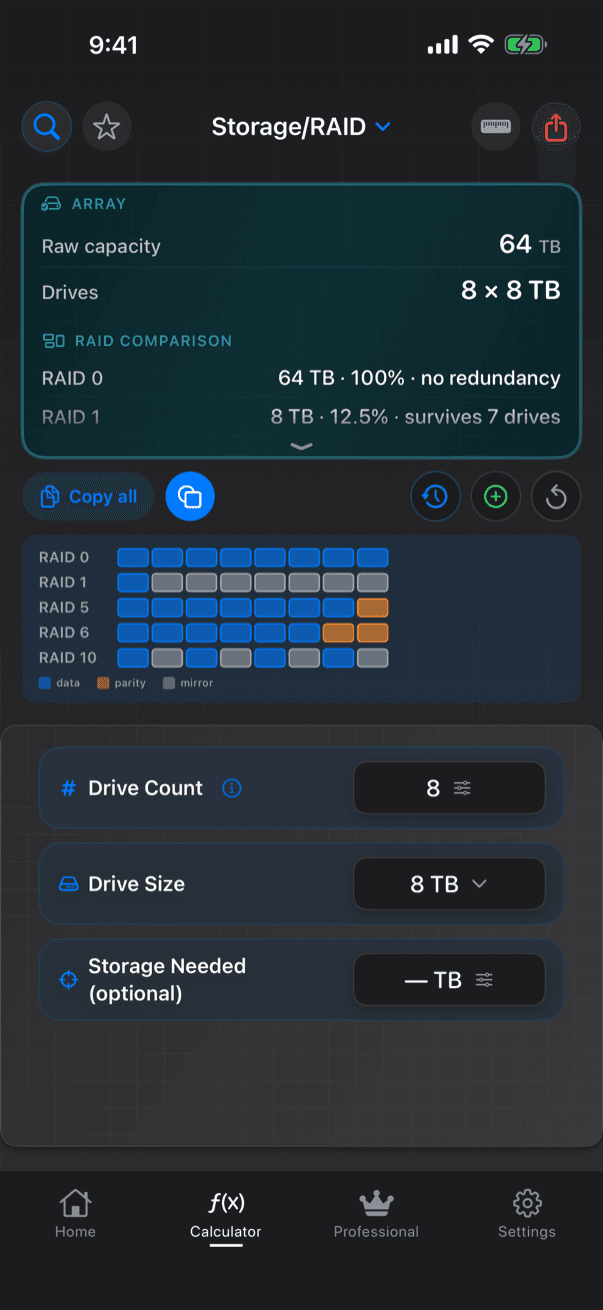
Storage/RAID compares every RAID level for the drives you have. Enter the drive count and size and it shows raw capacity, then for RAID 0, 1, 5, 6 and 10 the usable space, the share of raw capacity it keeps and how many drive failures it survives. Add the space the project needs and it marks which levels fit and names the safest one that does, with its headroom.
Worked examples
Eight 16 TB drives (128 TB raw)
| Level | Usable | Share of raw | Survives |
|---|---|---|---|
| RAID 0 | 128 TB | 100% | No failures |
| RAID 1 | 16 TB | 12.5% | 7 drives |
| RAID 5 | 112 TB | 87.5% | 1 drive |
| RAID 6 | 96 TB | 75% | 2 drives |
| RAID 10 | 64 TB | 50% | 1 per pair |
Six 20 TB drives, 70 TB needed (120 TB raw)
| Level | Usable | Fits 70 TB |
|---|---|---|
| RAID 0 | 120 TB | Yes, with no redundancy |
| RAID 1 | 20 TB | No |
| RAID 5 | 100 TB | Yes |
| RAID 6 | 80 TB | Yes: the safest fit, 10 TB headroom |
| RAID 10 | 60 TB | No |
Five 12 TB drives (60 TB raw)
| Level | Usable | Survives |
|---|---|---|
| RAID 0 | 60 TB | No failures |
| RAID 1 | 12 TB | 4 drives |
| RAID 5 | 48 TB | 1 drive |
| RAID 6 | 36 TB | 2 drives |
| RAID 10 | — | Needs an even drive count |
What you enter
- Drive count: any whole number, with presets 4, 6, 8, 12, 16 and 24
- Drive size: 2, 4, 8, 12, 16, 18 or 20 TB
- Storage needed (TB, optional)
What you get
- Raw capacity
- For each of RAID 0, 1, 5, 6 and 10: usable TB, share of raw capacity, failures survived, and whether it holds the space needed
- Levels the array cannot use, marked with the reason: too few drives, or an odd count for RAID 10
- The safest level that fits, with headroom; a warning when only RAID 0 fits, or nothing does
How CineMath works it out
- RAID 0: all drives, no redundancy (2 drives or more)
- RAID 1: one drive's capacity (an n-way mirror), survives n − 1 failures (2 or more)
- RAID 5: n − 1 drives, survives one failure (3 or more)
- RAID 6: n − 2 drives, survives two failures (4 or more)
- RAID 10: half the drives, survives one failure per mirrored pair (4 or more, even count)
- Safest level that fits: RAID 6, then RAID 10, RAID 1 and RAID 5; RAID 0 is never suggested
- Capacities are decimal TB, as printed on the drive; tools that count in binary show about 9% less
A drive-bay diagram marks the data, parity and mirror drives, for arrays of up to 24 drives.