Editorial calculator · free in CineMath
Film ↔ Time Calculator
Convert film footage to running time and back, for ten formats from Super 8 to 15-perf IMAX.
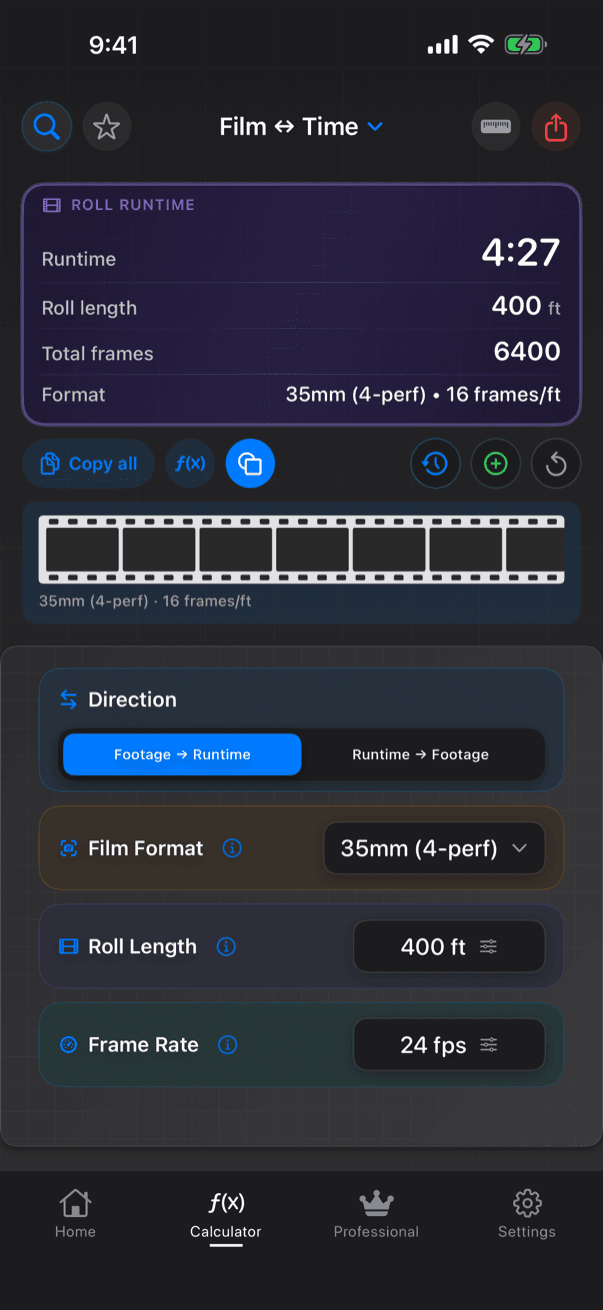
Film ↔ Time converts both ways: Footage → Runtime (how long does this roll last?) and Runtime → Footage (how much stock do I need?). It replaces the older Film to Time and Time to Film calculators.
Worked examples
Worked examples at 24 fps
| Format | Footage | Runtime |
|---|---|---|
| Super 16 | 400 ft | 11 min 6.7 s |
| 35mm 4-perf | 1,000 ft | 11 min 6.7 s |
| 35mm 4-perf | 8,100 ft | 90 min |
| IMAX 15-perf | 1,000 ft | 2 min 57.8 s |
What you enter
- Direction: Footage → Runtime or Runtime → Footage
- Format: Super 8; Super 16; 35mm 2-, 3- and 4-perf; 35mm 8-perf VistaVision; 65/70mm 5-, 8- and 10-perf; 65/70mm IMAX 15-perf
- Roll length (feet or meters) or recording time
- Frame rate: the format's common rates, or custom
What you get
- Runtime, total frames and roll length
- Or footage in feet and in feet + frames
- A roll-count warning when one roll is not enough
How CineMath works it out
- Runtime = feet × frames per foot ÷ frame rate
- Frames per foot: Super 8 72, Super 16 40, 35mm 2-perf 32, 3-perf 21.33, 4-perf 16, VistaVision 8, 65/70mm 5-perf 12.8, 8-perf 8, 10-perf 6.4, IMAX 15-perf 4.27
A film-strip diagram shows the format's perforations per frame.
More Editorial calculators
- Aspect RatioPixel dimensions for any aspect ratio, anamorphic desqueeze, and fit or fill to a delivery size.
- Speed ChangePlayback speed and running-time change when footage plays at a different frame rate.
- Target LengthThe exact retime percentage that fits a clip into a target duration.
- Timecode CalculatorAdd, subtract, multiply and divide timecode, and convert between timecode and frames.
- Time LapseSet the intervalometer: shot interval, frame count and speed-up for any time-lapse.