Camera calculator · free in CineMath
Exposure Calculator
Enter a stop change and see the iris, shutter angle, ISO or ND that compensates for it.
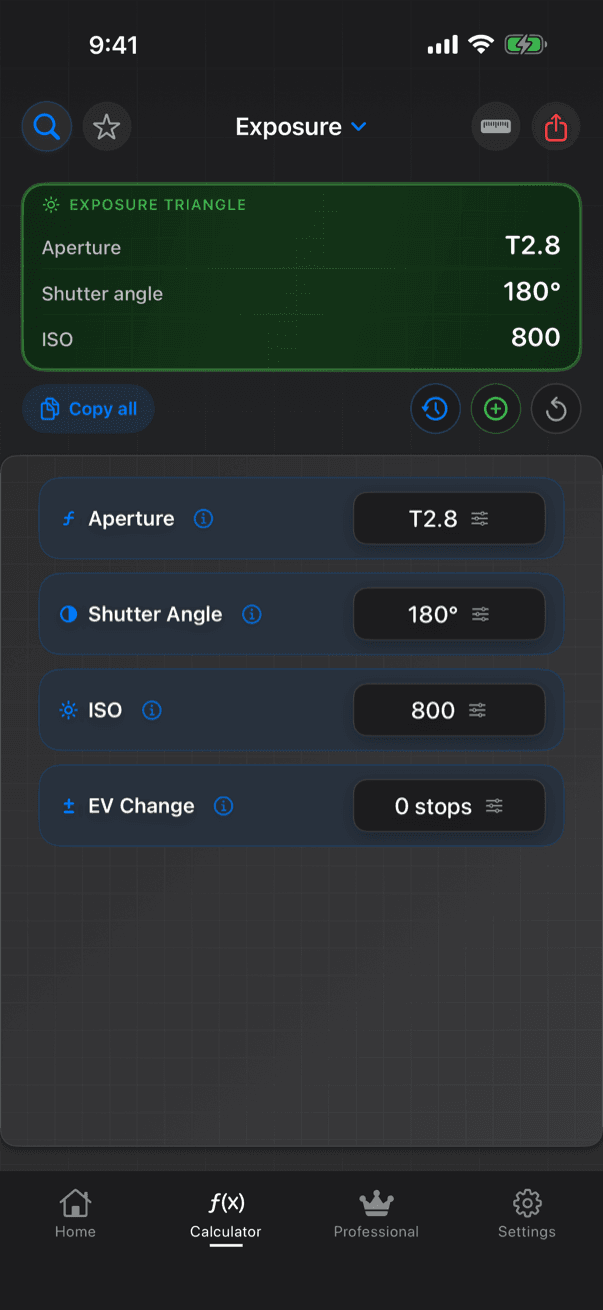
Exposure keeps the image the same when something changes. Enter your current T-stop, shutter angle and ISO and a change in stops, and CineMath gives four separate ways to compensate: adjust one of them. A positive change means more light has arrived and has to be cut; a negative one means light was lost.
Worked examples
One stop more light (+1 EV) at T2.8, 180°, ISO 800: adjust one of
| Setting | Compensated value |
|---|---|
| T-stop | T4 |
| Shutter angle | 90° |
| ISO | 400 |
| ND filter | Add ND 0.3 (ND2) |
Two-thirds of a stop less light (−2/3 EV) at T2.8, 180°, ISO 800: adjust one of
| Setting | Compensated value |
|---|---|
| T-stop | T2.2 |
| Shutter angle | 285.7° (flagged as far from 180°) |
| ISO | 1270 |
| ND filter | Remove ND 0.20 (nearest ND 0.3 · ND2) |
What you enter
- Aperture (T-stop), with presets T1.4 to T8
- Shutter angle (degrees), with presets 45, 90, 172.8, 180, 270 and 360°
- ISO, with presets 100 to 3200
- EV change (stops, plus or minus), with presets ±1 to ±3; fractions such as +1/3 or −2/3 are accepted
What you get
- A one-line summary: the ND to add when light goes up, or the T-stop to open to (or ND to remove) when it goes down
- Compensating T-stop, rounded to the nearest standard third-stop between T1 and T32, with the exact value when they differ
- Compensating shutter angle
- Compensating ISO
- ND filter to add or remove, by density and marking (ND 0.3 (ND2) to ND 3.0 (ND1024)), with the exact density when the change is not a whole stop
- The formula with your numbers in it
- Warnings for a shutter outside 1–358°, an ISO outside 50–25,600 or a T-stop outside T1–T32, a note when the angle moves far from 180°, and a reminder that removing ND assumes a filter is in
How CineMath works it out
- T-stop: T × √2^EV
- Shutter angle: angle × 2^(−EV)
- ISO: ISO × 2^(−EV)
- ND density: |EV| × 0.3
- Each option absorbs the whole change on its own: pick one, not all four
- The T-stop is rounded to the nearest third-stop marking by distance in stops; the exact value is shown when they are 0.05 stop or more apart
- ND within 0.15 stop of a whole stop shows its marking; otherwise the exact density and the nearest marking, e.g. ND 0.45 (nearest ND 0.6 · ND4)
Guides
- Exposure Triangle for CinemaT-stop, shutter angle, EI and ND in stops, what each one costs, and the order a camera team sets them.
- Shutter Angle vs Shutter SpeedAngle-to-speed charts for every common frame rate, and the flicker-free angles on 50 Hz and 60 Hz power.
- ND Filter ChartDensity, stops and filter factor for every common ND, ND from a meter reading, stacking and IR.
- Exposure Value (EV) ChartEV charts for stills and cinema settings, the ISO offset, and a meter EV reading turned into a T-stop and ND.
More Camera calculators
- Depth of FieldNear and far focus limits, hyperfocal distance, and the stop that holds two subjects in focus.
- Field of ViewHorizontal, vertical and diagonal angle of view, and frame coverage at any distance.
- Focal Length MatchFind the lens that gives the same horizontal view on a different sensor width.
- Close FocusMagnification, effective aperture and light loss for extension tubes; new close-focus distance for diopters.
- AnamorphicDesqueezed aspect ratio and horizontal-equivalent spherical focal length for any squeeze.